
How to Promote a Music Video and Turn Viewers Into Fans
A music video can collect views and still win you zero fans.
One poster on r/NewTubers set up YouTube ads for a friend’s new music video. Six days and $100 later, the video had 190 more views and the channel had 110 new subscribers. None of those viewers liked the video, commented, or watched anything else. The post doesn’t say how the campaign was targeted, and that’s the point: a number went up, and nobody could tell who it reached.
The short answer
To promote a music video so it builds an audience:
- Release it the same day as the song, and set up the Premiere, trailer, and Shorts about two weeks before.
- Send every door to the video: Shorts, email, your website, collaborators, and clips on other apps.
- Aim your budget at the right viewers. Target people who already like music like yours, in the countries where you have listeners.
- Judge it by what viewers do next: engaged views, whether they come back, and whether Spotify moves too.
Why it’s worth doing right
YouTube says that, out of a random sample, fans who saw a given music video consumed 94% more of that artist’s music the next month than fans who didn’t (YouTube). That’s a comparison, not proof the video caused it, since bigger fans are more likely to watch. But it shows where your most engaged listeners spend time.
The view count is the part that can fool you. YouTube now counts a view from the first frame (YouTube), so a big number tells you less than it used to.
What You’ll Learn
- When to release the video, and what to set up before launch day
- How to run release day and the first week on YouTube
- Where to find viewers outside YouTube
- How to set up YouTube ads that reach fans, and how to read them
- Which numbers prove the promotion worked
When should you release your music video?
Release it the same day as the song. YouTube says official music videos uploaded the same day as the audio release get higher subscriber growth and higher views in their first two weeks (YouTube).
If the video isn’t ready, YouTube’s alternative is to time it with a big moment for the song, like a remix, a performance, or the song starting to catch on. Don’t upload other release videos at the exact same time.
Our lyric video vs music video guide covers which visual to put out first, and when a second one is worth making.
What should you set up before the video comes out?
About two weeks out, schedule the Premiere, post a trailer, and start Shorts that point to release day. Each of these gives people a way to show up on day one.
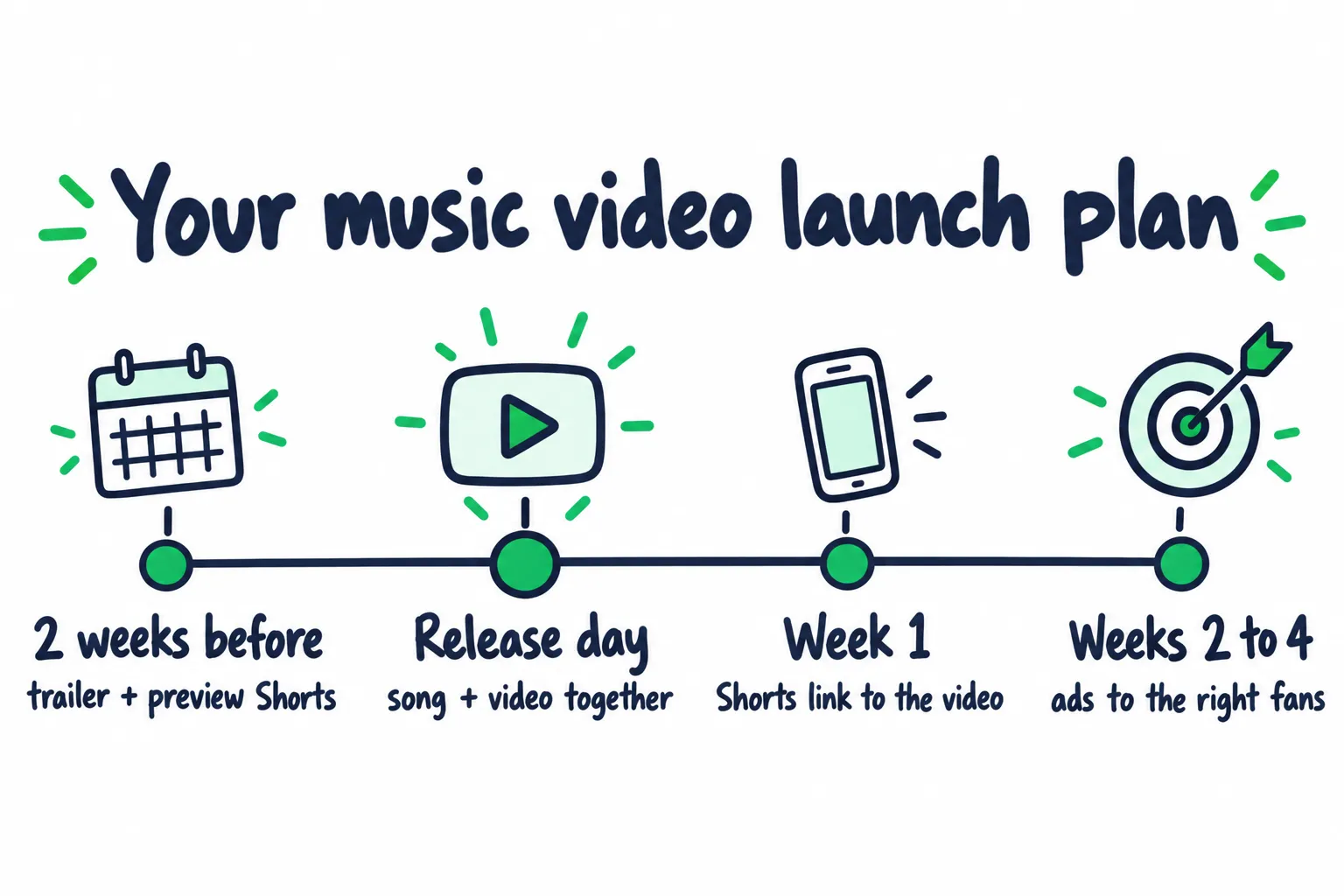
The video’s launch starts two weeks before anyone can watch it.
| Set up | What it does | The catch |
|---|---|---|
| A scheduled Premiere | Creates a public watch page you can share early. Fans who set a reminder get a notification about 30 minutes before and again at the start (YouTube) | Premieres don’t play above 1080p, and a Community Guidelines strike blocks them |
| A trailer | YouTube suggests posting it about two weeks before release, as your featured video and on the Premiere page (YouTube) | Premiere trailers need more than 1,000 subscribers and no strikes (YouTube) |
| Preview Shorts | Shorts made with your song’s preview audio show fans a Notify-Me button for release day | Your distributor has to deliver the preview. Ask 3 to 4 weeks out whether it does (YouTube) |
| A release playlist | Puts the video, lyric video, and later versions in one place near the top of your channel | Update it as each new version goes up |
| A pre-save | Saves the song for fans on release day | Covers the audio, not the video |
Two more things to settle before the Premiere:
- Your Official Artist Channel. It merges your channels so subscribers see new music videos wherever they followed you. You need at least one official release delivered by a distributor or label (YouTube). Our YouTube guide for musicians walks through the request, plus titles and thumbnails.
- Your distributor’s Content ID. If it claims your own video, some features stop working, including Hype. Ask your distributor to allowlist the video before release. Our YouTube money guide explains why your own song gets claimed.
The rest of the release, from the pitch to the pre-save, is in our pre-release strategy and music release checklist.
What should you do on release day?
Make the Premiere an event, post Shorts the same day, and send everyone to one watch page. Release day is when your existing fans are most likely to show up.
- YouTube suggests a live stream of at least 15 minutes before the Premiere.
- With more than 1,000 subscribers, set a Live Redirect so the stream sends viewers straight into the Premiere.
- Answer comments and pin the best ones.
- Ask one question people want to answer, like the line that hit them first.
- YouTube says posting Shorts on Premiere day won't hurt how it recommends the full video.
- Set the video as your featured video, update your banner, and post in Community.
- Email, socials, and your website should all point to the same watch page.
- Pin your own comment with one link, to the song or your profile.
The live stream, Shorts, and channel steps all come from YouTube’s release day guide. Live Redirect needs more than 1,000 subscribers and no strikes (YouTube).
Link your Shorts to the video. In YouTube Studio, a Short can link to a related video, which shows as a clickable link under your channel handle (YouTube). This needs advanced feature access.
YouTube counted over 700 million times fans found a song on Shorts and watched it in long form within a week, in one week of data (YouTube). That’s the move you want: someone hears 15 seconds, then watches the whole thing.
Use one link outside YouTube. A smart link lets fans pick their own app, and shows you which posts sent them.
Don’t lean on end screens alone. They need a video of at least 25 seconds and only show in the last 5 to 20 seconds. They also don’t appear in the YouTube Music app or on mobile web (YouTube). Keep the pinned comment and description doing the same job.
How do you get people outside YouTube to watch?
Send every outside channel to the same watch page, and give each one its own reason to click. YouTube says its recommendations depend on viewers’ engagement history and how the video performs (YouTube), so the first real viewers you bring matter.
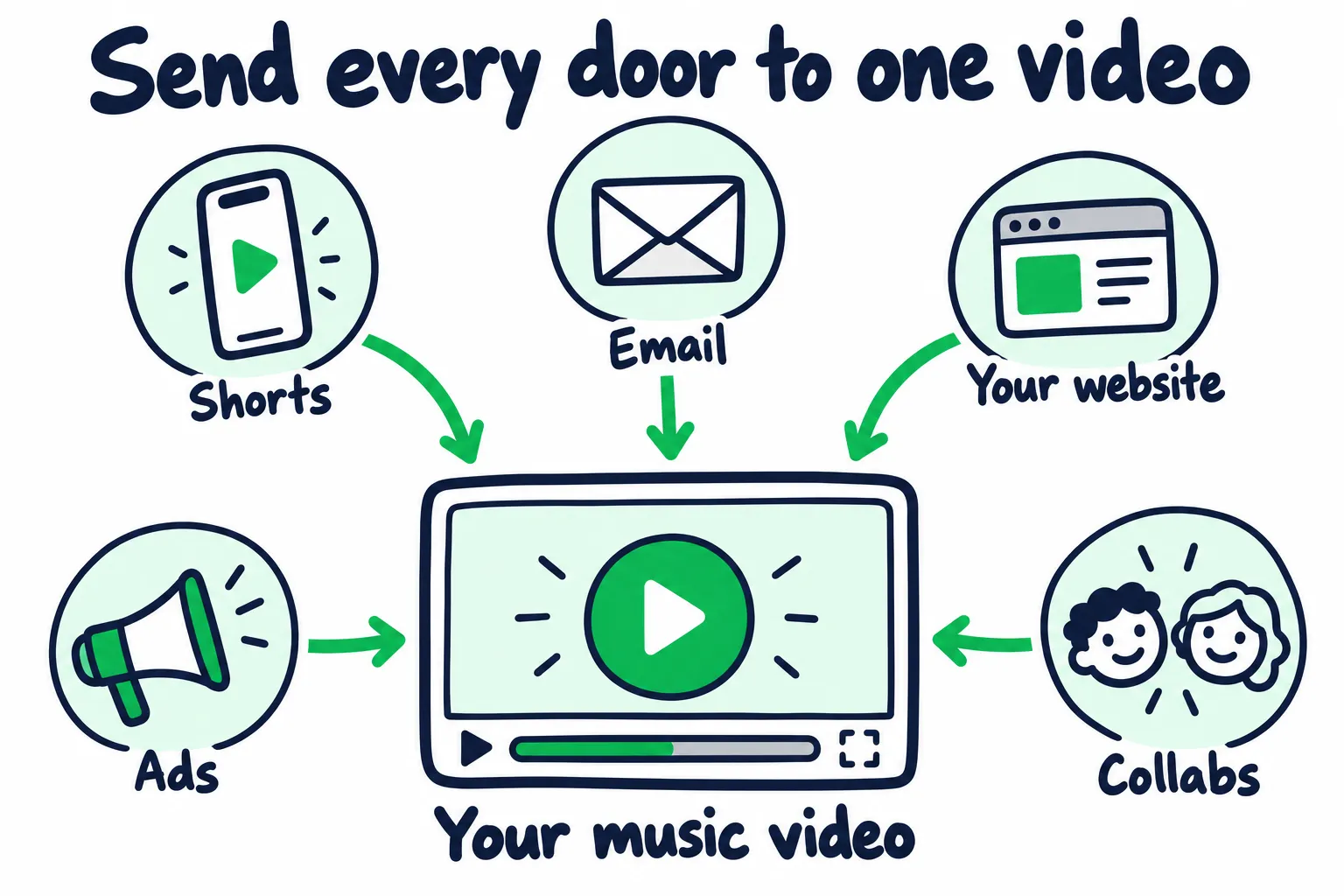
Every channel you control should point at the same video.
| Door | How to use it | Why it helps |
|---|---|---|
| Your email list | Send the watch page on release day, with one line about the story behind the video | These are your warmest fans. Our email marketing guide covers the release emails |
| Your website | Embed the video on the home page and the release page | People who search your name land on it |
| Clips on TikTok and Instagram | Post short cuts that end with where to watch the full video | Reaches people who don’t open YouTube first. Our TikTok guide covers which moments to cut |
| Collaborators | Release a video or Short together | In YouTube’s study, collaborations got about 25% more views in the first few weeks when both channels were a similar size, and about 60% more when yours was slightly smaller than your partner’s (YouTube) |
| Blogs and channels in your genre | Send the private link before release, with the story and one still | Coverage on day one gives the video outside traffic |
Expect channels to say no. One artist in r/musicmarketing pitched about 20 YouTube channels and got one reply. Most didn’t post singles, and the pitches landed in spam. Pitch the channels that already post artists your size.
Give people more to find. In a thread about how people found the last unknown artist they followed, one listener heard a song on Spotify, then looked the band up on YouTube and got hooked by a live club video and practice-room covers. Put live and rehearsal videos on your channel, so people who arrive from Spotify find more of you.
Should you pay to promote a music video on YouTube?
Yes, when the ads reach people who already like music like yours, and you judge them by what those viewers do next. A paid push multiplies what the video already does. It can’t make people watch a video that loses them.
How YouTube counts views from ads
YouTube now counts a view from the first frame, and the old definition is now called an engaged view: someone who clicked to watch or kept watching past the first seconds (YouTube).
For ads, that means (YouTube):
- The public view count goes up the moment your ad starts to play, on Shorts and in-stream ads.
- On cost-per-view campaigns, you pay only when someone watches long enough or interacts, and the bar depends on the format (Google Ads):
- Skippable in-stream ads: 30 seconds, or the whole ad if it’s shorter.
- In-feed ads: a click to play, or 10 seconds of autoplay.
- Shorts ads: 10 seconds, or a click on the call to action. A 30-second Shorts ad can be billed after 10 seconds.
So any paid campaign can raise the public count faster than it raises real watching. Read engaged views and what happens after.
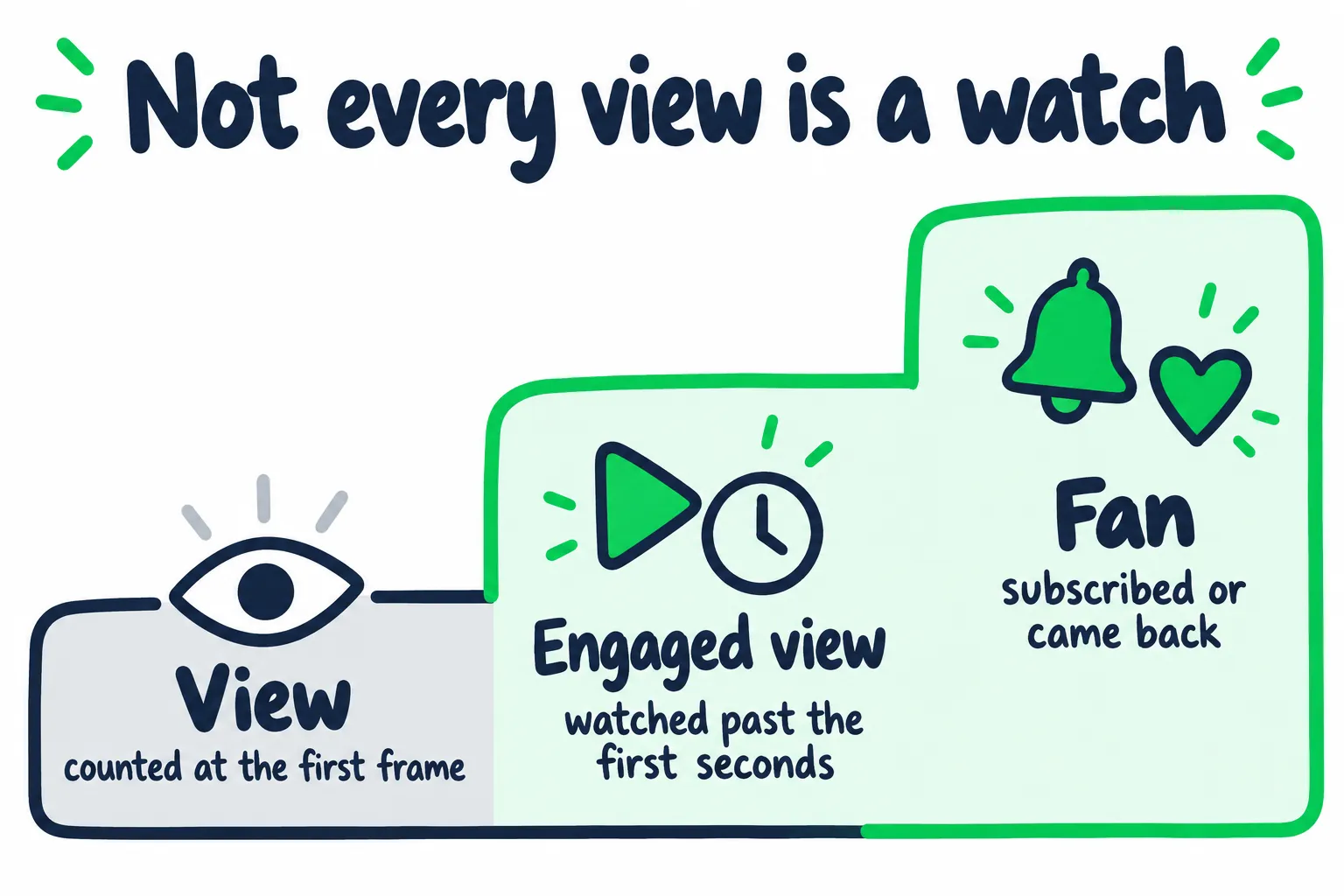
A subscriber only becomes a fan when they come back.
How to set up YouTube ads for a music video
- Link your YouTube channel to Google Ads. Without it, Google Ads can’t track what viewers do on your channel after the ad.
- Track follow-on views. These are organic views on your channel after someone sees your ad, within 30 days of a click or 3 days after watching it (Google Ads). They include repeat watches of the same video, so one fan can add several (Google Ads). To use them, save “Engagement” as a conversion goal. Follow-on views show whether the ad found people who wanted more.
- Target people who already listen to music like yours. Build audiences from similar artists, the songs and genres people search, and people who already watched your channel.
- Limit the countries to where you have listeners or play shows, and run each country separately so you can compare them.
- Cut an ad version of the video. Viewers can skip in-stream ads after 5 seconds (Google Ads), so test 2 or 3 openings that start on the hook or the strongest shot.
- Start in week 2. By then you can see in your organic numbers that the video holds people. Start small, read a week of results, then add budget to what works.
One artist in r/musicmarketing ran YouTube ads aimed at three countries, and their next video got 25,000 impressions with no paid promotion, up from about 700. The ads found people who wanted the next one too.
| Option | How it works | What to watch |
|---|---|---|
| Google Ads video campaigns | In-stream, in-feed, and Shorts ads, with audience, interest, keyword, and location targeting | Engaged views and follow-on views from each audience |
| Promote in YouTube Studio | Runs a promotion from inside Studio. YouTube says promotions don’t affect your organic performance (YouTube) | Fewer controls than Google Ads |
| Ads on other apps to your video | An Instagram or Facebook ad sends people to the watch page | Each viewer costs more, but they chose to click |
| Bought views | A seller adds views or subscribers | YouTube doesn’t count artificial traffic, can issue strikes, and holds you responsible for anyone you hire (YouTube) |
Our YouTube guide’s checklist for paid reach covers the questions to ask any campaign. If you’d rather have it run for you, our YouTube promotion runs YouTube ads through Google Ads, targeted by keywords and fans of similar artists, and you can check every result in your own YouTube Analytics.
How do you know if the promotion worked?
Split paid from organic, then compare what organic watching looked like before and after the campaign. The total view count mixes both, so it can’t tell you.
| Check | Where | What it tells you |
|---|---|---|
| Views from YouTube advertising | The video’s Reach tab, traffic sources | How much of the total came from ads |
| Cost per engaged view | Your ad spend divided by engaged views from ads. Engaged views are on the video’s Engagement tab (YouTube) | What you paid for real watching |
| Follow-on views | Google Ads | Whether ad viewers kept watching on your channel. Repeat watches count too, so pair this with unique and returning viewers |
| Organic engaged views, before and after | The 14 days before the ads, compared with the 14 days after they stop | Whether the campaign left the channel stronger |
| New, casual, and regular viewers | The video’s Audience tab | Whether the video reached new people and brought your fans back |
| Spotify listeners and saves | Spotify for Artists | Whether the video moved the song outside YouTube |
Then decide:
- Organic engaged views rose after the ads stopped: the campaign fed the channel. Repeat it with the next video.
- Everything stopped when the money did: you rented a spike. Change the audience or the ad’s opening before you spend again.
- Views up, Spotify flat: give viewers a reason to go. Pin a comment that points to the song, and say it at the end of the video. Our music analytics guide shows how to separate real lift from noise.
For the regular weekly checks on every video, use the schedule in our guide to reading YouTube Studio.
How do you keep a music video growing after week one?
Give people new ways in: Shorts, a second version when the first shows demand, and fans who push it for you. Most videos peak in their first days, so plan what comes next before release.
- Ask fans to Hype it. In the first 7 days after you publish, viewers can hype your video to help it reach new people. It’s for channels in the YouTube Partner Program with 500 to 500,000 subscribers, and videos with copyright claims can’t be hyped (YouTube).
- Keep cutting Shorts. Each new Short can link to the video.
- Make a second version when the numbers ask for it. A live take, acoustic version, or lyric video works best when the first video shows demand. Our lyric video guide explains when a second video earns its place.
Then carry the momentum to streaming. A viewer who likes the video is one tap from your profile, and our guide on how to get more monthly listeners on Spotify covers what to do with them there.
FAQ: Promoting a Music Video
Do YouTube ads count as views?
Yes. Since YouTube started counting views from the first frame, your public view count goes up the moment the ad starts playing. On cost-per-view campaigns, you’re billed only when someone watches long enough or interacts.
Check engaged views and follow-on views to see what you got.
Should I premiere my music video?
Yes, if you can bring people to it. A Premiere gives fans a watch page to share and a reminder before it starts, and its views move to the video afterward.
If you have more than 1,000 subscribers, pair it with a live stream and a Live Redirect so the people already watching flow straight in.
How many views should my music video get?
Compare it to your own past uploads, not to label releases. Look at engaged views in the first 7 days next to your last 3 videos.
Since YouTube changed how it counts views, use engaged views for older videos too. Their public counts used the old rule.
How much does it cost to promote a music video on YouTube?
It depends on your targeting and countries. Work out what you paid per engaged view and per follow-on view, then check how many of those viewers were new, came back, or subscribed.
Plan the budget for the whole release with our music promotion budget calculator, and start with a small test before you add more.
Is it safe to buy views for a music video?
No. YouTube doesn’t count artificial traffic, can give your channel strikes, and holds you responsible for anyone you hire to promote it.
Real ads through Google Ads or YouTube Studio are the safe way to pay for reach.