
Spotify Artist Pick: How to Turn Profile Visits Into Saves, Follows, and Real Fan Actions
Your Spotify Artist Pick is the only top of profile slot you fully control, so stop treating it like a release day sticker.
Someone hears one track from an ad, playlist, TikTok, Release Radar, or a friend. They tap your name, and now you have a small window of interest. The visit only counts if they do something next: save the song, follow, play a second track, or buy a ticket. Otherwise they leave after one stream.
The Quick Answer
A Spotify Artist Pick is the pinned item at the top of your Spotify artist profile. Spotify says you can use it to feature songs, albums, music videos, playlists, concerts, merch, and podcast content through Spotify for Artists.
It stays live for 180 days unless you change it sooner. Concert, merch, and music video Picks have extra rules based on show dates, sellouts, and regional video availability.
Use Artist Pick to choose the next action for a listener who already cared enough to visit your profile.The Real Problem
Most artists use Artist Pick by habit. New single out, pin it. No new single, leave the old one up. If you already have traction, your Artist Pick should match the leak in the profile instead.
If you are getting streams without follows, the profile is not making the artist worth remembering. If you are getting profile visits without saves, the first song may not be obvious enough. If one track is carrying the catalog, your Pick may need to move people from that track into a tight artist playlist.
For the full profile system, read our Spotify artist profile guide. This post covers only Artist Pick and how to use that one slot better.
What You’ll Learn
- How Spotify Artist Pick works
- How to choose your Pick based on the profile leak
- When to pin a song, release, playlist, show, merch, or video
- How to test if the Pick improved saves, follows, or catalog plays
- Mistakes that make serious artists lose warm listeners
What Is Spotify Artist Pick?
Spotify Artist Pick is a pinned feature near the top of your artist profile. It lets you highlight one item with an optional custom image and short message.
Spotify describes the artist profile as a place where fans can find your music, concerts, merch, videos, and the rest of your world. In its official artist profile overview, Spotify says Artist Pick can spotlight what matters right now: a new release, playlist, show, merch, music video, podcast, or a Countdown Page where eligible.
Artist Pick is the one profile slot where you can say, “Start here.” Spotify and listener activity shape most of the rest: popular tracks, popular releases, playlists, and Fans Also Like.
How to Add Artist Pick on Spotify
You need Spotify for Artists access before you can manage Artist Pick. Spotify says the feature is for Admins and Editors, so make sure your team access is clean.
If you still need access, start with Spotify’s official guide to getting access to Spotify for Artists or our plain English Spotify for Artists guide.
Add Artist Pick from web
- Log in to Spotify for Artists.
- Click View Profile.
- Select the plus sign under Artist Pick.
- Search for the content or paste a link.
- Add a custom image and message if they fit the push.
- Save it, then check the public profile on mobile and desktop.
Add Artist Pick from mobile
- Open the Spotify for Artists mobile app.
- Tap the Profile tab.
- Tap the plus sign under Artist Pick.
- Search or paste the item.
- Add the image and message.
- Save, then check the public Spotify app.
Current Artist Pick specs
| Item | Current rule | Why it matters |
|---|---|---|
| Who can edit it | Admins and Editors in Spotify for Artists | Do not give full team access just to change one profile slot. |
| Content types | Songs, albums, music videos, playlists, concerts, merch, podcasts | Match the Pick to the job, which is not always the newest thing. |
| Podcast setup | Web only | Use desktop if the podcast option is missing on mobile. |
| Custom image | At least 690 x 500 px, JPEG, GIF, or PNG | Use a clean image that still reads when small. |
| Default duration | 180 days unless changed sooner | Old advice saying two weeks is outdated. |
| Concert Pick | Can disappear after the show or when tickets sell out | Check it after each event date. |
| Merch Pick | Can disappear when the item sells out | Do not let sold out merch leave the profile without a plan. |
| Music video Pick | Shows only where Spotify music videos are available | Check your main countries before making it the main thing. |
Spotify also has separate artist image guidelines for your avatar, header, and gallery.
The Artist Pick Decision Matrix
Before you choose what to pin, find where the listener is getting lost.
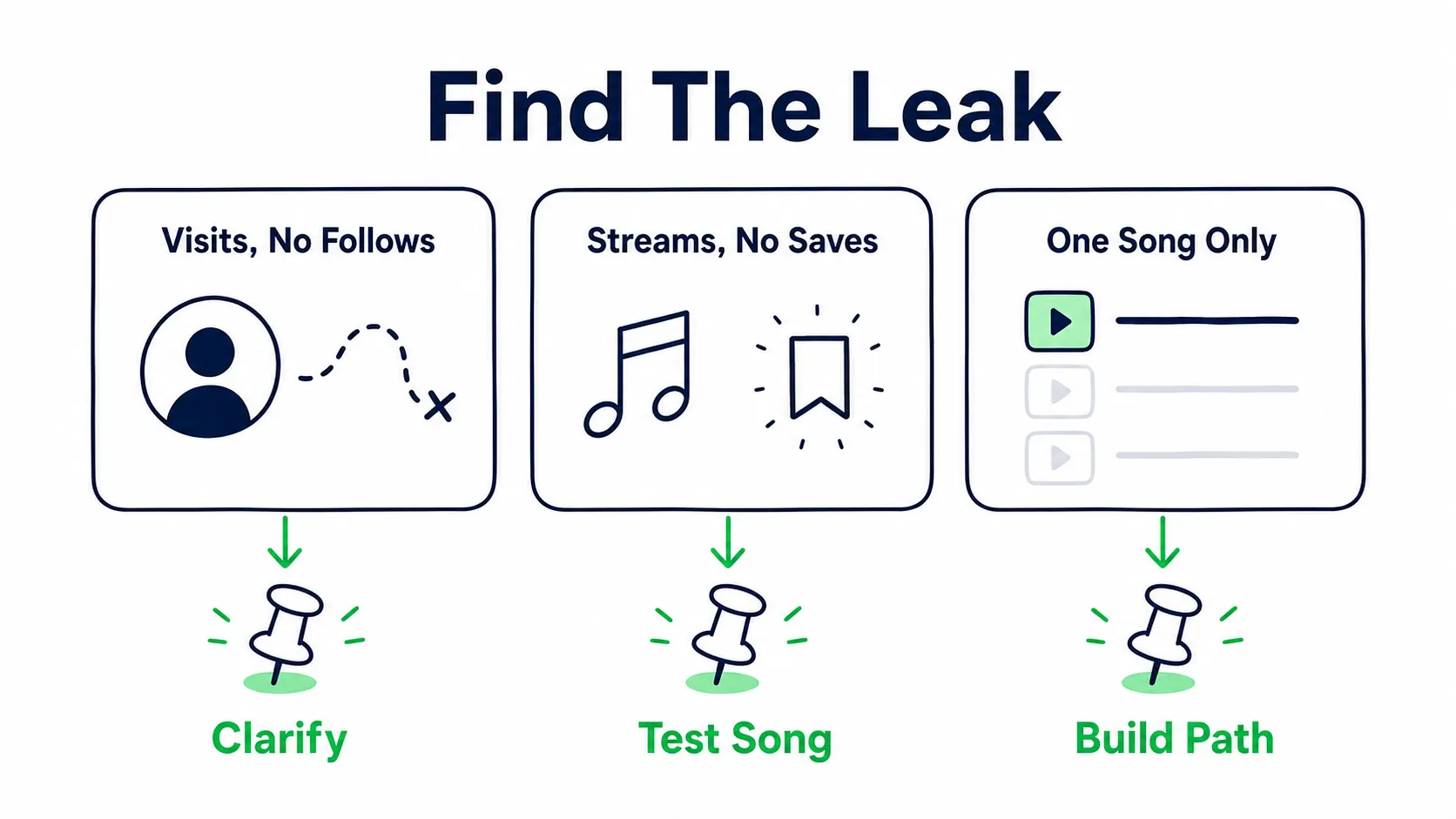
Choose the Pick by the leak you need to fix, not by habit.
| What is happening | Best Artist Pick | Why this choice works | What to watch |
|---|---|---|---|
| New release needs one clear push | The single | Removes choice and points every visitor to the focus track. | Saves, streams from artist profile, playlist adds, follower lift. |
| One song is working but the catalog is not moving | Artist playlist with the focus song first | Turns one strong track into a guided first listen. | Streams per listener, second song movement, follows. |
| EP or album is the real product | The release or Countdown Page if eligible | Keeps attention on the full body of work, not just the top track. | Pre saves, release page streams, repeat listening, saves per track. |
| City data is strong and shows are coming | Concert Pick | Sends warm fans toward a real world action while the city has heat. | Event saves, ticket clicks, city movement, merch clicks after shows. |
| Core fans are active but there is no direct offer | Merch Pick | Gives repeat listeners a way to support the world around the music. | Merch clicks, item availability, repeat listeners, super listeners. |
| Profile visits are rising but follows are flat | Best entry song or artist playlist | Shows that there is more here than one song. | Follower lift, active audience, return listeners, second song plays. |
| Older song keeps winning on saves or content | The proven song, or a playlist built around it | Uses proof instead of forcing every push through the newest song. | Saves, right listener fit, country fit, related catalog lift. |
Use the newest song when the release needs attention now. Use the strongest song when you need the best first impression. Use an artist playlist when one song needs to pull people deeper. Use a show or merch Pick when the listener is already warm enough to act.
The song you would pin by instinct is not always the best first song for a stranger. An older or quieter track can win once new listeners hear both. If you run ads, rotate two or three fitting tracks to the same listener groups and compare saves and follows per track in Spotify for Artists. The song that makes strangers save and follow earns the Pick.
If you are still deciding which song deserves the main push, use our lead single guide before you lock the Pick.
The 60 Second Artist Pick Brief
Before you change the Pick, write this down:
Current leak:
What the listener already heard:
What I want them to do next:
Best Pick for that action:
Message:
What I will check in 7 days:
Example:
Current leak: profile visits up, follows flat
What the listener already heard: new single from Meta ads
What I want them to do next: hear the next two strongest songs
Best Pick for that action: artist playlist with the single first
Message: Start with the single, then stay for the songs that live in the same world.
What I will check in 7 days: follows, artist profile streams, second song plays
When To Change Your Spotify Artist Pick
Most artists change Artist Pick on instinct, and the slot turns into decoration. Treat it like a campaign lever instead. Keep it when it is still moving the right behavior. Change it when the job of the profile has changed.
| Situation | What it means | What to do |
|---|---|---|
| Your current Pick is still lifting saves, follows, artist profile streams, or second song plays | The listener path is still working. | Keep it live. Do not replace proof just because you have a newer link. |
| The Pick is right, but clicks or follow through feel weak | The asset may be fine, but the message is not giving people a clear next move. | Rewrite the note before changing the Pick. Make the action obvious. |
| Your campaign moved from awareness to depth, shows, merch, or community building | The profile now has a different job. | Rotate the Pick to match the current action you want from warm listeners. |
| The show passed, merch sold out, playlist order changed, or the linked item no longer fits the campaign | The top slot is now sending attention to a dead end. | Change it immediately. A stale Pick makes the profile feel unmanaged. |
Use this review cadence:
- First 48 hours: check only for obvious problems, like the wrong link, weak copy, or a mismatch with your ad or social traffic.
- Day 3 to 7: compare profile visits against the action you wanted, such as saves, follows, artist profile streams, playlist starts, or ticket clicks.
- Day 7 to 14: keep it if the chosen metric is still moving. Change it if attention is rising but the next action is flat.
If the profile’s job changes, change the Pick.
Song vs Playlist: Which Artist Pick Works Better?
A song Pick is cleaner. A playlist Pick is deeper. The right choice depends on whether you need song proof or catalog proof.
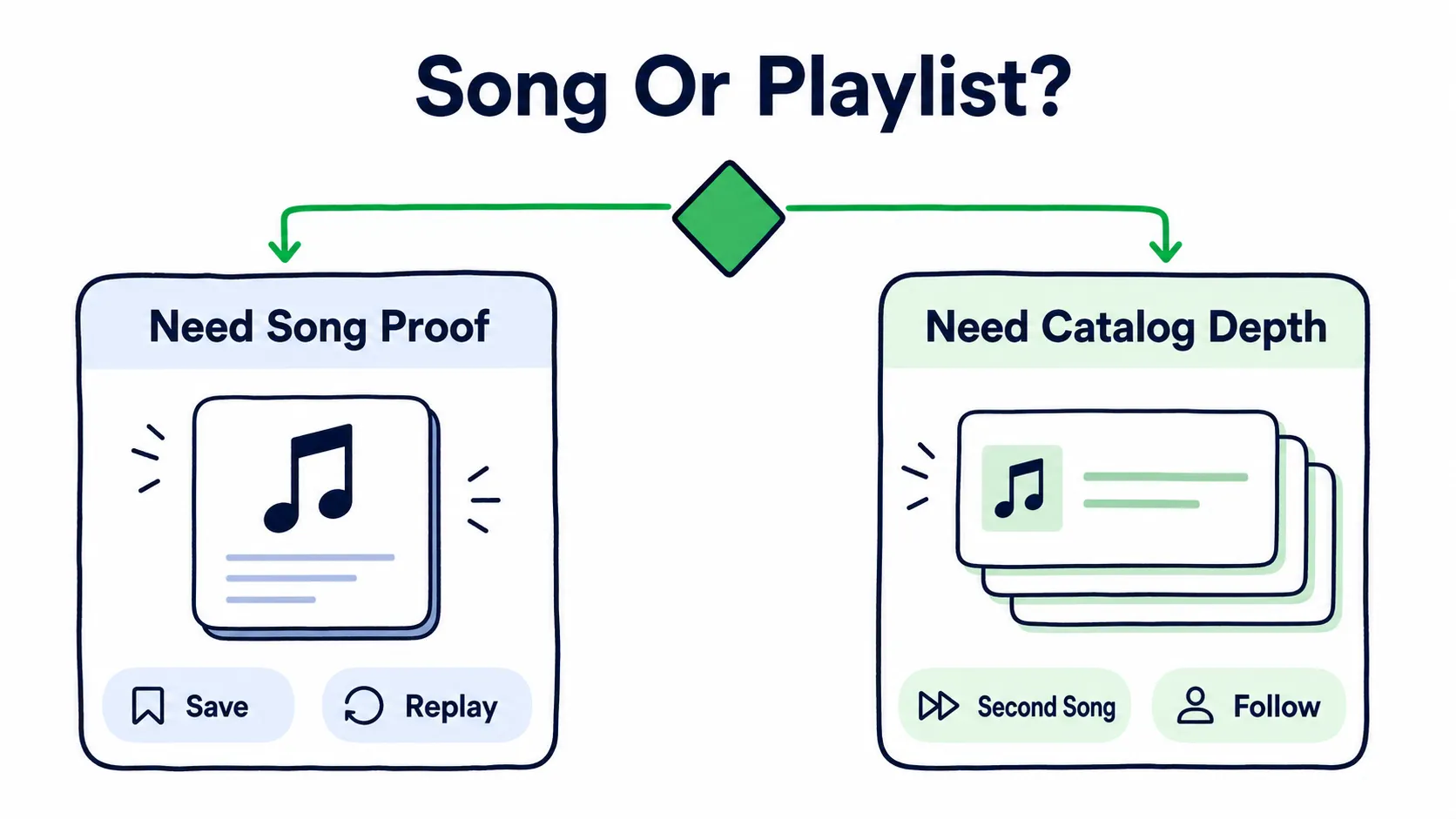
Use a song when you need proof on one track. Use a playlist when one track needs to pull people deeper.
Pick a song when the path is simple
Choose a song when you need one exact track to get the save, replay, playlist add, or follow.
This is best when:
- The song is new
- The hook is obvious
- Your ad or social content uses that exact song
- You need saves or playlist adds on that track
- You are pitching the same release across other channels
Some people may play one song and leave. That is fine if the song is the test. If the song wins, build the next path after that. If it does not, a playlist will not hide the problem.
Pick a playlist when the catalog is the product
Choose an artist playlist when the entry song already works and you want more catalog depth.
This works well when:
- You have several strong songs in the same lane
- One older track is still converting
- You want more plays per listener
- You want listeners to understand your world faster
- You are sending warm traffic to the profile
Keep the playlist focused. Do not make it a giant mood board with 80 songs from other artists if the goal is to build your own fan base.
The first five songs should prove to someone who liked the entry song that the artist is worth following.Example structure:
Track 1: The song from the ad, post, or campaign
Track 2: The most similar catalog song
Track 3: The fan favorite
Track 4: A slightly different side of the sound
Track 5: The next release or newest song
If playlist traffic is part of your bigger plan, read our playlist placement guide and Spotify saves guide so you judge the traffic by what it does, instead of only stream count.
Artist Pick Message Examples
Your message should name the reason to click instead of begging for the stream.
For a new single
Start here. This is the song that sets up the next release.If you found me through the hook, this is the full track.For a proven song
This is the one people keep finding first. Start here.Old to me, new to you. Still the best entry point.For an artist playlist
Start with the single, then stay for the songs that live in the same world.Five songs, one lane. Built for people who are new here.For an EP or album
The full project starts here. Play it front to back.If one song brought you in, this is the full world around it.For shows, merch, or video
These songs are coming to the stage next. Tickets are up now.The track makes more sense with the visual.Avoid empty lines like “Go stream my new song.” Everyone says that, and it gives the listener no reason to click.
Does Artist Pick Help the Spotify Algorithm?
Artist Pick probably does not work like a direct algorithm button. Do not think, “I updated my profile, so Spotify will push me.”
Key takeaway
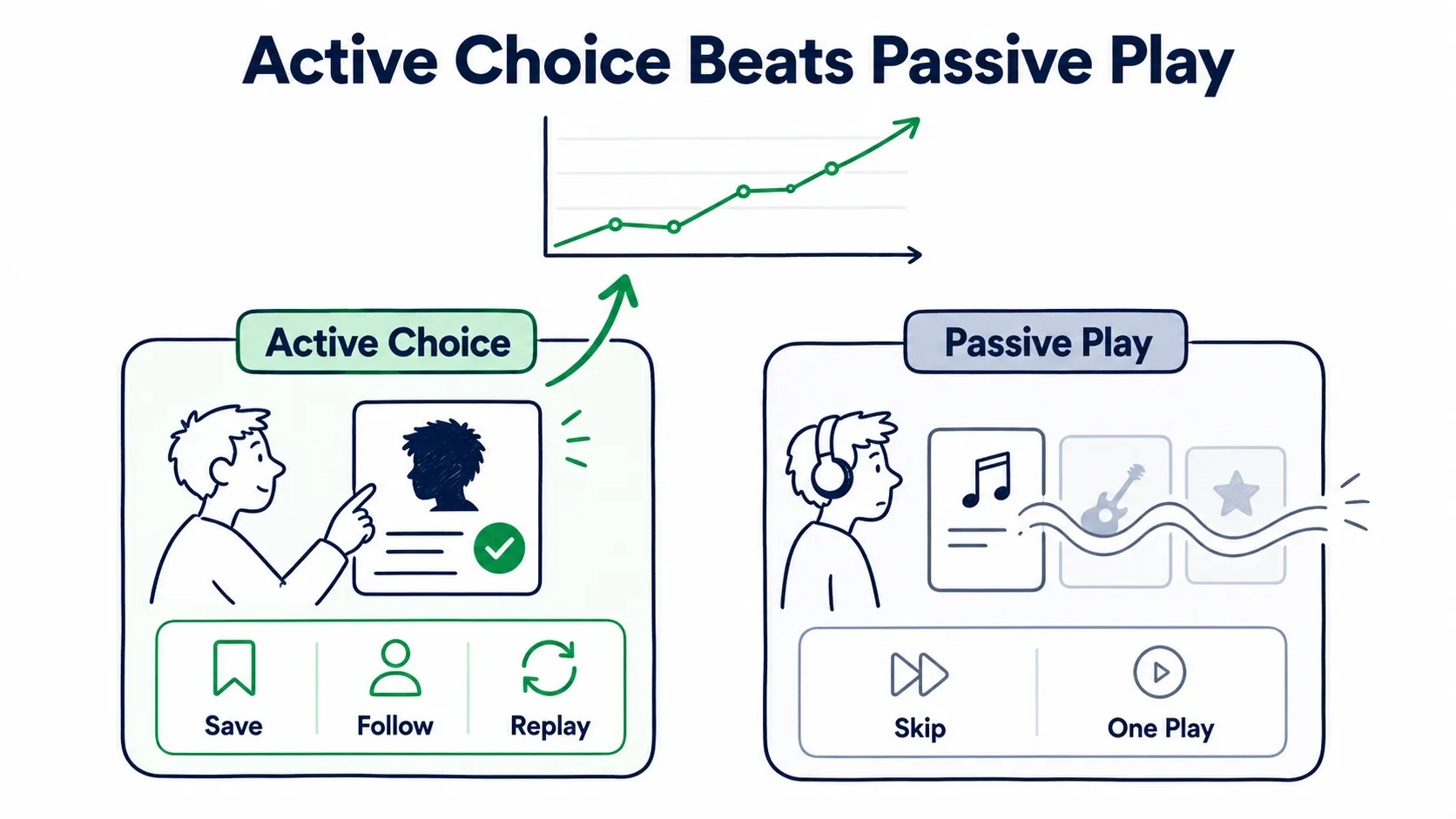
Artist Pick matters most when it turns a passive listen into an active choice.
Spotify explains source of streams in active and programmed terms.
Active sources are places where people meant to play your music. That includes your artist profile, album pages, their library, and their own playlists.
Programmed sources are places where Spotify or another listener picked the music for them. That includes editorial playlists, Radio, Autoplay, Discover Weekly, Release Radar, and other people’s playlists.
Artist Pick lives on the profile, so its job is to turn a profile visit into an active choice.
Spotify’s audience segments separate programmed listeners from monthly active listeners, super listeners, moderate listeners, and light listeners. Spotify also says artists can encourage active streams by updating Artist Pick to attract more profile streams. Your Pick alone will not cause algorithmic growth, but a better Pick can improve the actions around the profile:
- More streams from artist profile and catalog
- More saves on the focus track
- More follows after profile visits
- More second song plays
- More return listeners
For the bigger algorithm picture, read the Spotify algorithm launch playbook and our guide to Spotify algorithmic playlists.
How to Measure Whether Artist Pick Worked
Do not update your Artist Pick and stare at the public profile for five minutes. Treat it like a profile test.
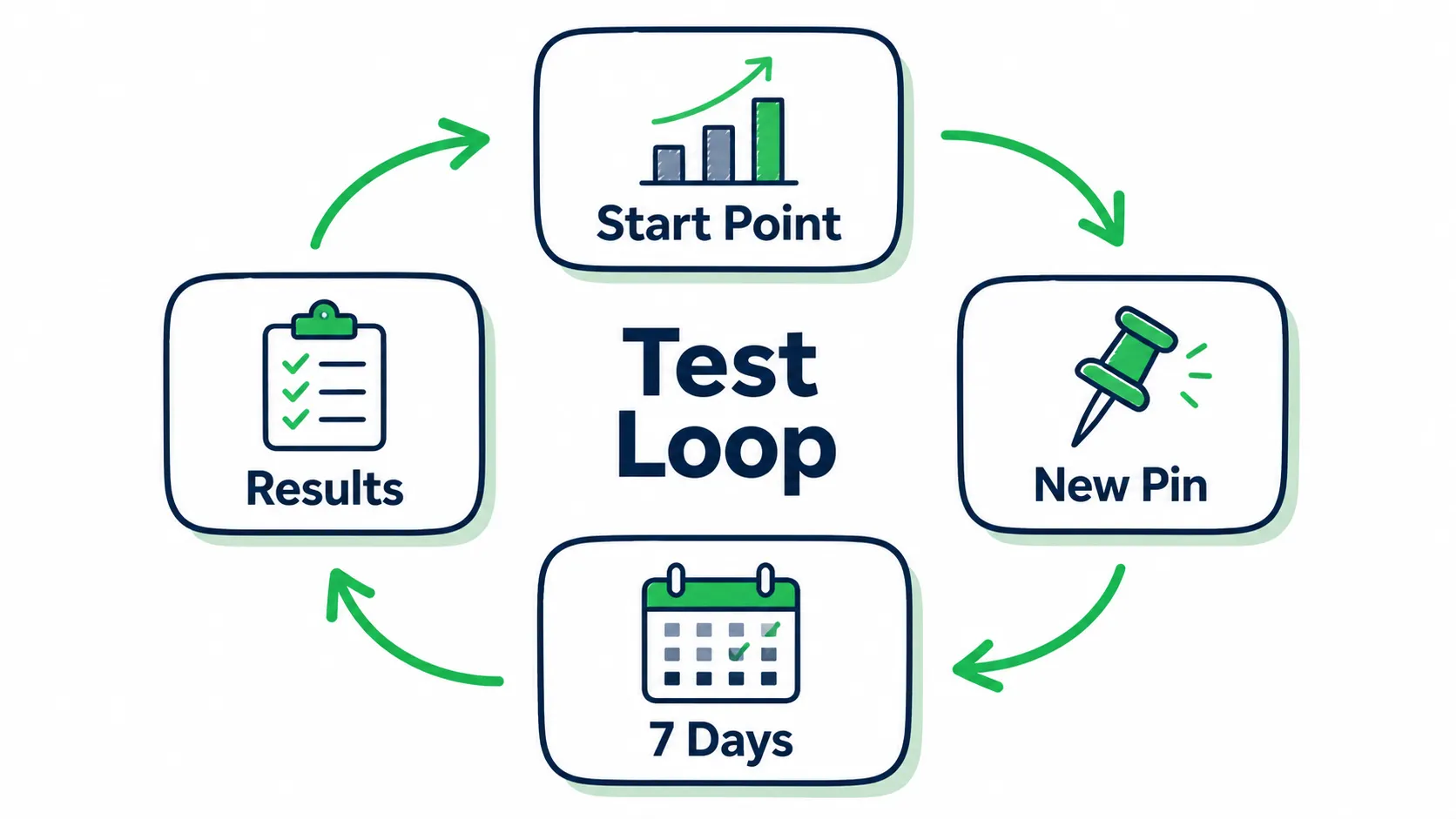
Treat the Pick like a small test: record the start point, change one thing, wait, then read the result.
Step 1: Take a baseline
Before you change it, write down the last 7 to 14 days:
- Profile visits
- Followers
- Streams from artist profile and catalog
- Saves on the focus song
- Streams per listener
- Top countries and cities
- Monthly active listener movement
If you are running paid promotion, also note the dates, target countries, ad creative, landing page, and daily spend.
Step 2: Change one thing
If you change the Artist Pick, bio, images, ad creative, landing page, and playlist target on the same day, you will not know what helped.
Change the Pick first if that is the test, then let the next few days show what moved.Step 3: Check the right numbers
| Signal | Good sign | Weak sign |
|---|---|---|
| Profile visits | Visits rise when promotion runs | Traffic clicks rise but profile visits stay flat |
| Follower lift | Follows rise after profile visits | Visits rise but follows barely move |
| Artist profile streams | More streams come from profile and catalog | Streams stay stuck in passive sources only |
| Saves | Saves rise on the focus track | Streams rise but saves lag |
| Catalog movement | Second and third songs move too | One track moves, everything else is dead |
| Source fit | Active sources improve with clean country fit | Only random playlist or low fit source spikes |
Read the result like this:
Visits up, follows flat: the profile got attention, but the artist story did not close.
Profile streams up, saves flat: the Pick got plays, but the song or listener fit is weak.
Saves up, follows flat: the song is stronger than the profile. Fix the bio, next song path, and Artist Pick message.
Second song plays up: the playlist or catalog path is doing its job.
Active sources improve: more people are choosing to play you, instead of only hearing you from passive sources.
If the numbers show profile visits but weak follows, use our Spotify followers or listeners guide next.
If saves are the weak point, use the Spotify saves guide.
If traffic is coming in but the profile still leaks, run a free Spotify growth audit before adding more spend.
Common Artist Pick Mistakes
Leaving an old release pinned: old is fine if it still has proof. Old with no reason makes the profile feel unattended.
Sending follows to the wrong artist: be careful with collaborations, features, side projects, and producer aliases. Keep the Pick aligned with the artist page that needs the fan relationship.
Using a playlist with no clear job: if you want more fans, the playlist should make your catalog easier to enter. Put the best fit first and keep the first few songs tight.
Writing a vague message: “New music out now” is fine, but forgettable. A better message tells the listener why this is the right starting point.
Ignoring follows: if profile traffic rises but followers do not, the listener may like one track but not understand why they should stay connected to you. That is a profile problem.
Sending risky traffic to a weak profile: do not pay to send strangers into confusion. Before paid promotion, make sure the Artist Pick, top songs, bio, image, and link path all point in the same direction. Spotify also warns artists about artificial streaming and paid services that guarantee streams, so protect the profile from junk traffic.
Once the profile is clean, judge any promotion by two things. It should be built around matched listener traffic and results you can verify in your own Spotify for Artists. It should also test more than one track, so the data tells you which song belongs in the Pick.
Artist Pick Troubleshooting
Artist Pick is not showing
Make sure you saved it, then check from a different device or account. Mobile and desktop can refresh at different speeds. If the Pick is a video, merch item, or concert, check the special rules around country availability, sellouts, and show dates.
You cannot set or change Artist Pick
Confirm that you have Admin or Editor access and that you are editing the correct artist. If the web editor glitches, try the mobile app, a private browser window, or a different device. If one Pick is stuck, remove it first, then add the new one.
The song is live by link but missing from your profile
This can happen around release day. Either the profile needs time to refresh, or there is a metadata or artist mapping problem.
Check your distributor dashboard and confirm the artist profile mapping. If it still looks wrong, contact your distributor with the Spotify link, artist URI, release UPC, screenshots, and a clear request to remap the release.
For release setup, use our music release checklist before the next drop.
The custom image looks bad
Use one clear focal point. Avoid tiny text, busy cover art screenshots, and images that only work when large. Spotify’s Artist Pick image minimum is 690 x 500 px, but larger clean source files usually hold up better.
You changed the Pick but nothing happened
Artist Pick can only shape the demand you already brought to the profile.If nobody visits the profile, or the wrong people visit it, the Pick cannot fix that alone. Check the source of your traffic, the song quality, the promise in the ad or post, and the profile together.
Our Spotify release engagement guide is useful if you are trying to read what happened after a release campaign.
A Simple Artist Pick Review Checklist
Use this before any campaign:
- Is the Pick current, or clearly on purpose?
- Does it match the thing we are promoting this week?
- Does the message give a real reason to click?
- Does the image read on mobile?
- Does the bio first line support the same story?
- Do the top songs and Pick make sense together?
- Are we measuring profile visits, follows, saves, source fit, and catalog movement?
- Are we sending real listener fit, or just traffic?
Key takeaway
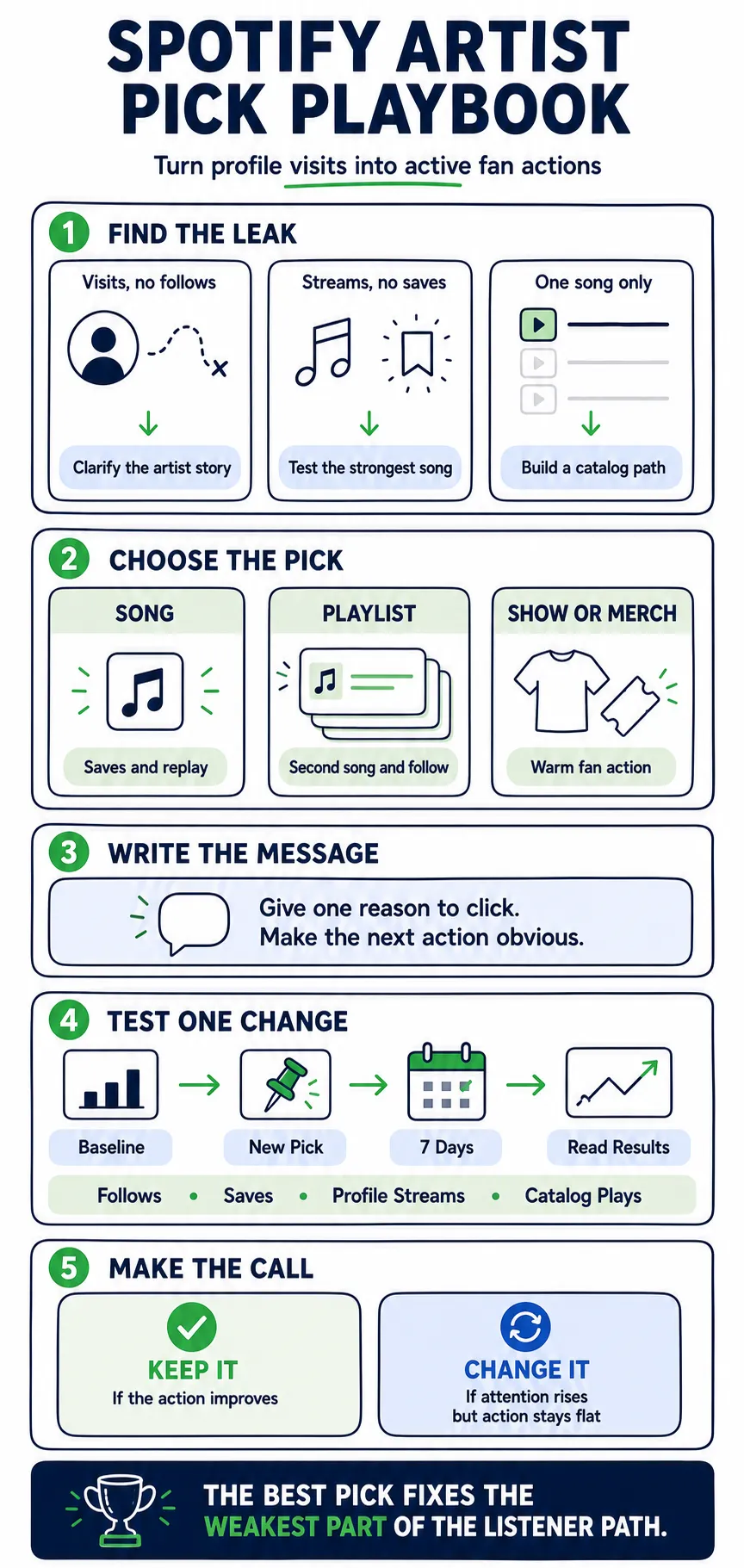
Find the leak, choose the right Pick, test one change, and keep what moves the listener forward.
FAQ
Does Spotify Artist Pick help the algorithm?
Not like a switch. Artist Pick helps when it turns a profile visit into actions Spotify can read:
- Active streams
- Saves
- Follows
- Repeat plays
- Second song movement
Should my Artist Pick be a song or a playlist?
Use a song for track proof. Use a playlist for catalog depth.
Pick a song when one track needs saves, replays, or playlist adds. Pick a playlist when the entry song already works and you want the listener to hear what comes next.
Why do I get profile visits but not followers?
The song got curiosity, but the profile did not give a reason to stay. Check that these four tell the same story:
- Artist Pick
- Bio first line
- Top songs
- Playlist path
Why is my Artist Pick not showing or not updating?
Start with the simple checks:
- Access level
- Save status
- Device or cache
- Existing Pick removal
Then check the content type. Concerts, merch, and videos have extra visibility rules.
Should I pin my newest song or my most popular song?
Pin the song that matches the job. Use the newest song when release momentum matters most. Use the proven song when cold listeners need the best first impression. If an older song keeps winning on saves, do not bury it just because it is old to you.