
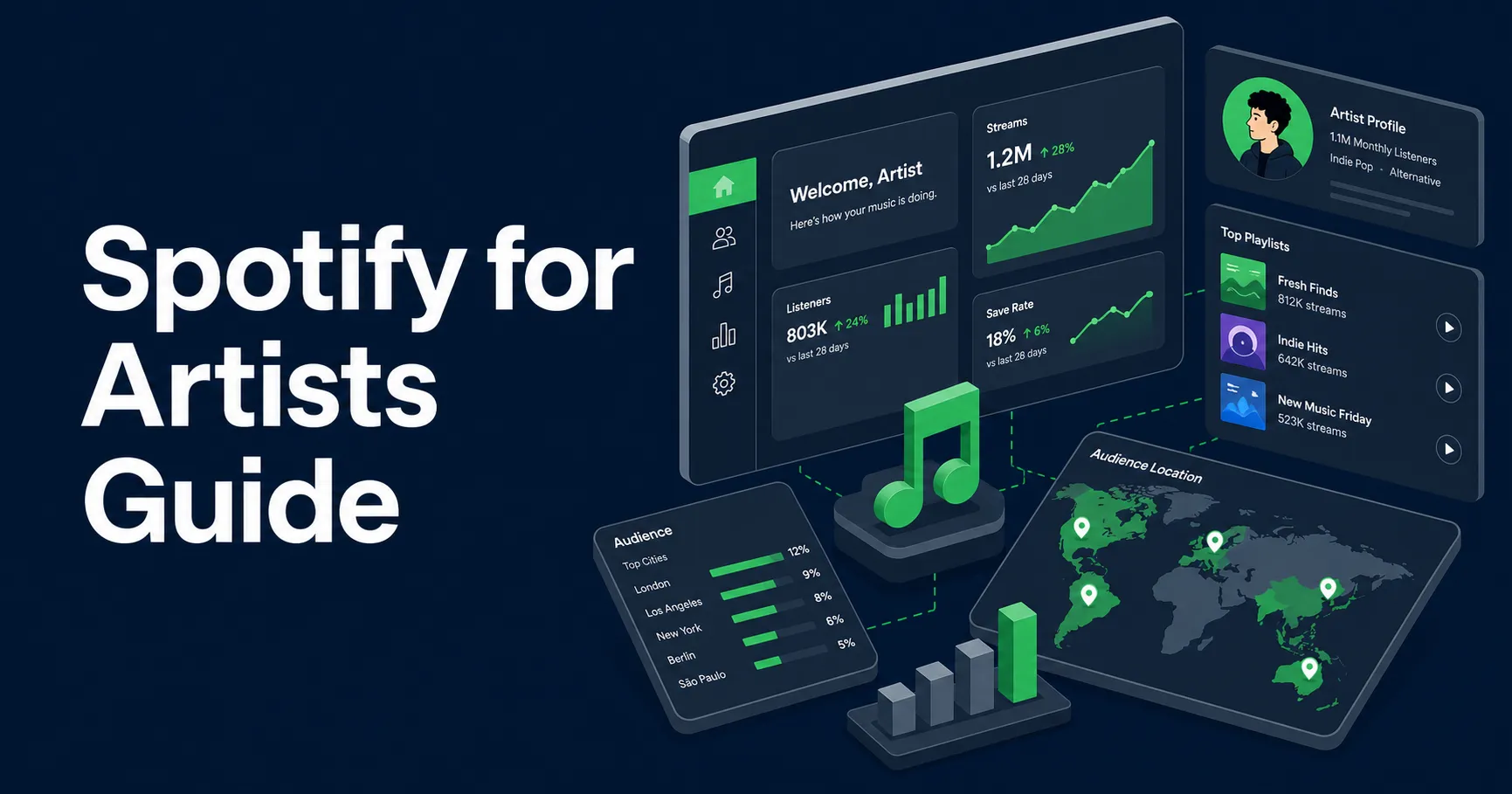
Spotify for Artists: The Practical Guide to Your Profile, Pitching, and Growth
Spotify for Artists is where you find out if people are only hearing your music, or if they are actually starting to care.
Most artists use it the hard way.
They claim the profile. They check streams. They refresh the app when a song drops. Then they guess what went right or wrong.
It can help you clean up your artist page, pitch songs before they come out, spot bad traffic, and see if a campaign is bringing in real listeners or just pretty numbers.
The honest version
Spotify for Artists will not make your song blow up.It will not fix a weak song. It will not turn random clicks into fans. It will not prove every ad click turned into a stream.
What it will do is show you where attention is coming from and what people do after they find you.
If you are not sure where your profile is leaking, start with the free Spotify growth audit. If your profile is already clean and you need more matched listeners, look at our Spotify promotion service.
Who this is for
This is for artists who are tired of guessing.
Maybe you ran ads and got clicks but almost no streams.
Maybe your monthly listeners went up, but nobody followed you.
Maybe you pitched a song and have no idea if it helped.
Or maybe you just claimed your page and want to set it up right before your next release.
What You’ll Learn
- How to claim Spotify for Artists without making a mess
- What to fix on your artist profile before you send traffic
- How to pitch a song in a way that helps Spotify understand it
- Which Spotify for Artists stats matter most
- How to tell the difference between real growth and empty numbers
- What to check before, during, and after a release
- When to use ads, playlist pitching, or a deeper release plan
What Is Spotify for Artists?
Spotify for Artists is Spotify’s official dashboard for artists, managers, and teams.
You use it to claim your artist profile, edit your page, pitch unreleased music, read listener data, manage team access, and see where streams come from.
Spotify explains the claim process in its guide to getting access to Spotify for Artists.
Here is what you can manage.
| Area | What you use it for | Why it matters |
|---|---|---|
| Profile | Bio, photos, Artist Pick, links, shows, merch | This is where curious listeners decide if they want more from you. |
| Music | Songs, releases, pitch tool, track stats | This helps you prep releases and learn what each song is doing. |
| Audience | Listeners, followers, cities, countries, active audience | This shows who is paying attention, not just who passed by. |
| Team | Access for managers, labels, and collaborators | This keeps control of the account clean. |
If you send the wrong people to your song, Spotify for Artists will show that. If a playlist adds streams but no one saves the track, it will show that too.
Key takeaway
How to Claim Spotify for Artists
Claim your profile as soon as your music is delivered to Spotify.
Do not wait until release week if you can avoid it. Sometimes the approval is fast. Sometimes a distributor or profile match slows things down.
The flow is:
- Go to Spotify for Artists.
- Choose artist or manager access.
- Search for your artist profile.
- Verify who you are.
- Add the right team members after approval.
Before you request access, search your artist name on Spotify. Make sure your music is not sitting on another artist’s page with the same name. This happens more than people think.
If the song is on the wrong page, contact your distributor first. Fix the mapping before you start cleaning up the profile.
Spotify also has a guide to access levels. Use it before giving anyone admin control.
Give people the access they need. Nothing more.A designer who updates images does not need manager level access. A short term helper does not need permanent control.
Your Spotify Profile Is Part of the Funnel
Someone hears your song.
They tap your name.
Now your profile has a job.
It needs to answer three quick questions:
- What does this artist sound like?
- Is there more worth hearing?
- Should I follow before I forget?
You do not need a giant bio. You do not need a perfect brand deck. You need a page that feels current, clear, and worth another click.
| Profile part | Make it feel like this | Watch out for this |
|---|---|---|
| Photo | Clear, current, easy to recognize | Old cover art or a blurry crop |
| Header | Clean image that still works when cropped | Text that gets cut off on mobile |
| Bio | Plain words about your sound and story | A long life story with no listener hook |
| Artist Pick | Your current song, playlist, show, or next step | Leaving it blank after release day |
| Canvas | A short loop that matches the mood of the song | Busy video that distracts from the track |
Spotify has official pages for artist profiles and Canvas.
For your bio, use normal language.
Try this:
Nova Vale makes late night indie pop with warm synths, close vocals, and hooks built for the drive home.

Raised between Miami house parties and quiet bedroom demos, she writes songs about leaving too late and loving anyway.

Her newest single, "Glass Street," opens the next run of songs from her upcoming EP.
That is enough.
A new listener does not need your whole life. They need a reason to press play again.
How to Pitch Music in Spotify for Artists
The pitch tool is easy to waste.
Spotify lets you pitch one unreleased song at a time for editorial playlist consideration. The rules are in Spotify’s guide to pitching music to playlist editors.
Pitch as soon as the song shows up in Spotify for Artists.
Seven days before release is the minimum. Earlier is better.
If you are releasing an EP or album and do not know which song to pitch, use the lead single guide before choosing the focus track.
Your pitch can also help with Release Radar. Spotify says a song pitched at least seven days before release can be selected for followers through Release Radar.
Do not write the pitch like a bio.Write it like you are helping someone place the song.
Tell them what it sounds like, who it is for, what mood it fits, and what you are doing to help people hear it.
| Pitch detail | Good question to answer |
|---|---|
| Genre | Where would this song make sense? |
| Mood | What should the listener feel? |
| Sound | What instruments, tempo, or vocal style stand out? |
| Story | What is the song actually about? |
| Plan | How will you create attention outside Spotify? |
Before the song goes live, also run the music royalties checklist so your credits, splits, and registrations are not an afterthought.
Here is a simple pitch example:
"Glass Street" is a late night indie pop song with soft synth bass, close vocal stacks, and a chorus made for fans of emotional drive home pop.

The song is about leaving a relationship after both people know it is over, but neither wants to say it first.

The release plan includes short videos around the chorus, an email to existing fans, a local release show, and targeted ads to listeners of similar indie pop artists.
That is much better than:
“I have loved music since I was five and this song means everything to me.”
That may be true. It does not help the song get placed.
For the deeper version, read our guide on Spotify editorial playlists. For the follower side, read Spotify Release Radar.
The Stats That Matter Most
Streams matter.
Of course they do.
But streams alone can fool you.A song can get a lot of passive streams and almost no fans. Another song can get fewer plays but better saves, follows, and repeat listens.
The second song is healthier.
Spotify’s Source of Streams page explains where streams come from.
Active streams are when someone chooses you. They play your song from your profile, their library, search, queue, or one of their own playlists.
Programmed streams are when Spotify serves your song through places like Radio, Autoplay, Mixes, and other personal listening spots.
Both help. They do not mean the same thing.
| Stat | What it tells you | How to read it |
|---|---|---|
| Listeners | How many people heard you | Good for reach, weak without saves or follows |
| Streams per listener | Whether people replayed the song | Higher usually means stronger pull |
| Saves | Whether people want the song again | One of the clearest signs of real interest |
| Followers | Whether people want the next release too | Great for long term growth |
| Playlist adds | Whether the song fits someone’s life | Very useful when adds come from real listeners |
| Countries and cities | Where the attention is coming from | Strange spikes can point to poor traffic |
Spotify also explains audience segments, including active audience. Pay attention there.
If monthly listeners rise but active audience stays weak, people may be hearing the song without building a habit.
That is a clue.
Key takeaway
How to Tell if Promotion Is Working
This is where a lot of artists get burned.
They run ads. The ad account says clicks are cheap. The landing page says people clicked Spotify.
Then Spotify for Artists barely moves.
That does not always mean the song is bad. The path may be broken.
Use this simple diagnosis.
| What you see | What may be happening | What to check |
|---|---|---|
| Cheap clicks, few streams | People clicked but did not listen | Open the ad path on your own phone inside Instagram or TikTok. |
| Streams up, saves flat | The audience may not fit the song | Check saves, repeat plays, and playlist adds. |
| Monthly listeners up, followers flat | People heard you once and left | Fix Artist Pick, bio, and the next song path. |
| Odd country spike | Bad playlist traffic or weak targeting | Compare campaign countries with Spotify listener countries. |
| Lots of playlist streams, no other movement | The playlist may be passive or poor fit | Look for saves, follows, and streams after the add ends. |
Keep a tiny campaign log.
Song: Glass Street
Campaign: chorus clip ad test
Dates: release week
Countries: United States, Canada, United Kingdom, Australia
Goal: Spotify listeners who save or follow
Watch: listeners, saves, followers, streams per listener, countries, source of streams
You are looking for a clean story.
If the ad targets Canada and the United Kingdom, but streams jump in places you did not target, slow down. Something else may be causing the spike.
If the landing page gets clicks but Spotify does not move, test the whole path yourself. Make sure Spotify opens in the app, not some awkward browser page where people bounce.
This is why we point artists to the Spotify growth audit before they scale.
For playlist based growth, start with free playlist submission if you want a lower risk test. Use playlist placement when you want to choose the playlist. Browse playlist curators if you want to understand the space first.
A Release Workflow You Can Reuse
Do not open Spotify for Artists only when you feel nervous.
Use it at the same points every release.| When | Inside Spotify for Artists | Outside Spotify |
|---|---|---|
| Before delivery | Check profile access and team members | Choose a release date with enough lead time |
| After delivery | Make sure the unreleased song appears correctly | Check title, credits, cover art, and links |
| Before release | Pitch the focus track | Plan content, email, ads, and curator outreach |
| Release day | Update Artist Pick | Send warm fans first |
| First week | Watch saves, listeners, sources, and locations | Post new angles instead of repeating “out now” |
| After the first push | Review active audience and playlist adds | Decide what to scale, fix, or stop |
If the song gets good saves and repeats, you may have something worth pushing harder.
If listeners show up but do not save or follow, fix the audience or the profile before spending more.
If nothing moves, do not panic. Study the path.
Our Spotify algorithmic playlists guide goes deeper on Radio, Autoplay, Discover Weekly, and other recommendation surfaces.
For a full release system, use the Spotify algorithm launch playbook.
What Spotify for Artists Cannot Fix
Spotify for Artists is useful, but it has limits.
It cannot make a weak hook stronger.
It cannot make playlist editors pick your song.
It cannot make random listeners care.
It cannot turn fake streams into fans.
It cannot tell you every single click source with perfect detail.
And it cannot replace the work of building demand outside Spotify.
Spotify warns artists about artificial streaming and paid services that guarantee streams. Read that before buying anything that promises a stream number.
Guaranteed streams are not a shortcut. They can hurt your data, your royalties, and your account.
Spotify’s Loud and Clear project is useful if you want to understand streaming royalties and the bigger money picture.
The goal is not to obsess over every dip.
The goal is to make better next moves.
The Spotify for Artists Checklist
Run this before your next release.
| Check | Why it matters |
|---|---|
| Artist profile is claimed | You cannot fix or pitch much without access. |
| No duplicate artist page issue | Wrong profile mapping can ruin release tracking. |
| Photo, header, bio, and links are current | New listeners need a reason to stay. |
| Artist Pick is updated | It points attention to the right next step. |
| Song appears before release | You need time to pitch and catch mistakes. |
| Pitch is submitted early | It helps Spotify understand the song before launch. |
| Campaign tracking is written down | You need dates and target countries to read the data. |
| First week review includes saves and follows | Streams alone do not tell the whole story. |
Once that is done, choose the right next move.
If your profile is messy, clean it.
If your pitch window is open, pitch the song.
If the song needs matched listeners, look at Spotify promotion.
If playlist discovery fits the track, try free playlist submission before paid playlist placement.
If you are unsure what is wrong, run the Spotify growth audit.
FAQ
Is Spotify for Artists free?
Short answer: Yes. Spotify for Artists is free.
Use it for:
- Claiming your artist profile
- Updating your bio, photos, links, and Artist Pick
- Pitching unreleased music
- Reading listener and stream data
- Managing team access
Why did my ads get clicks but Spotify for Artists shows almost no streams?
Short answer: Clicks are not the same as listens.
People may click the ad and still never play the song.
Check these first:
- Does Spotify open in the app?
- Do ad countries match Spotify listener countries?
- Did saves move, or only clicks?
- Did streams per listener improve?
- Did source of streams match the campaign window?
If clicks look good but Spotify barely moves, the path may be broken.
Are Spotify followers or monthly listeners more important?
Short answer: You need both, but they mean different things.
| Metric | What it means | Best use |
|---|---|---|
| Monthly listeners | People who heard you recently | Measure reach |
| Followers | People who asked for more | Build future release momentum |
Followers are often the better long term sign because they can help future releases reach warmer listeners. For more detail, read Spotify followers or listeners.
Can Spotify for Artists show exactly which ad caused each stream?
Short answer: No, not perfectly.
Spotify for Artists shows sources, locations, playlists, and song trends, but it is not a full ad tracking tool.
Best read: match your campaign dates and target countries against:
- Listener location
- Source of streams
- Saves
- Followers
- Streams per listener
That gives you a much better read than clicks alone.
When should I pitch a song in Spotify for Artists?
Short answer: Pitch as soon as the unreleased song appears in your account.
Seven days before release is the minimum. Earlier is safer.
Do not wait if:
- The song is already visible in Spotify for Artists
- Your release date is close
- You still need to check credits, artwork, or profile setup
- You want the best shot at Release Radar for followers
Once the song is live, you cannot pitch it through the editorial tool.